The Best Gaming Keyboard and Mouse Combo for 2024
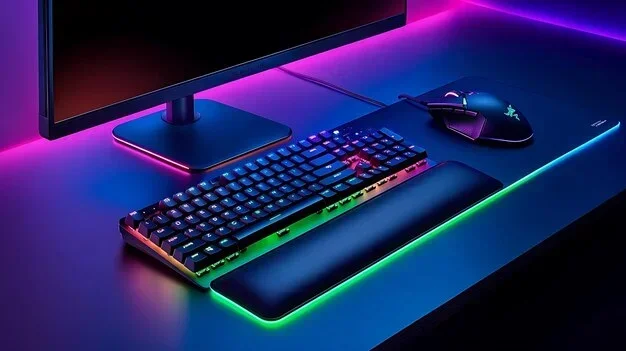
Looking for the best gaming keyboard and mouse combo in 2024? You are in the right place. This guide breaks down the top picks across every budget, from affordable starter sets to premium wireless combos. You will learn what features matter most, which combos deliver the best value, and how to choose the perfect pair for your play style.
If you are a gamer, you know that your setup matters a lot. A great gaming keyboard and mouse combo can make a huge difference in how you play. Whether you are a casual player or someone who competes in esports, choosing the right pair of peripherals is essential.
But with so many options out there, finding the best one can feel overwhelming. That is exactly why I put this guide together. I want to help you find the perfect gaming keyboard and mouse combo without wasting time or money. Let us dive into the top picks and everything you need to know.
Your gaming setup is more than just gear. It is your tool for winning, having fun, and expressing yourself. So let us make sure you pick the best possible combination.
Key Takeaways
- Combos save money and time: Buying a matched set costs less and ensures your peripherals work well together.
- Wireless options are now on par with wired: Modern wireless combos offer low latency and great freedom of movement.
- Match your combo to your game genre: FPS players need lightweight mice and responsive switches, while MMO gamers benefit from programmable keys.
- Budget combos can surprise you: You do not need to spend a fortune to get solid gaming performance and durable key switches.
- Setup matters as much as the gear: Proper software configuration and desk setup can make a big difference in your gaming experience.
- Ergonomics should never be ignored: Comfort during long sessions directly impacts your gaming accuracy and endurance.
📑 Table of Contents
Why a Gaming Keyboard and Mouse Combo Matters
Buying a combo instead of separate pieces has some real advantages. First, you get a matched set that works well together. The keyboard and mouse are designed to complement each other, which means better overall gaming performance. You also get a cohesive look that makes your whole desk feel put together.
The Benefits of Buying a Combo
- Cost savings — Combos often cost less than buying each piece separately. You can save anywhere from 10 to 30 percent compared to buying individually.
- Matching design — The look and feel of your setup stays consistent, which makes your whole rig look polished.
- Plug and play — Most combos come ready to use right out of the box. You do not need to hunt for compatible pieces.
- Warranty coverage — Many brands offer a single warranty that covers the whole set, which makes support much easier.
Wired vs Wireless Gaming Combos
One big decision you will face is choosing between wired and wireless setups. Wired combos tend to have lower latency, which means faster response times. This matters a lot in competitive games where every millisecond counts.
On the other hand, wireless combos give you more freedom to move. Modern wireless technology has gotten so good that the lag is barely noticeable. Brands like Logitech and Razer now offer wireless gaming combos that rival wired options in speed and precision.
What to Look for in a Gaming Keyboard and Mouse Combo
Not all combos are created equal. Before you buy, there are a few key things you should check to make sure you are getting the best value for your money.
Key Features to Consider
Here are the most important features to keep in mind when shopping for a gaming keyboard and mouse combo:
- Switch type — Mechanical switches offer a satisfying feel and better durability. Membrane switches are quieter and more affordable.
- DPI range — A higher DPI on your mouse means more precise tracking. Look for at least 4000 DPI for a smooth experience.
- RGB lighting — Customizable RGB keyboard and mouse setups look amazing and let you personalize your rig to your style.
- Programmable keys — Extra buttons and macro support can give you an edge in games, especially in MMOs and strategy titles.
Build Quality and Durability
You want your gaming peripherals to last. Look for combos with durable key switches rated for millions of keystrokes. The mouse should feel solid in your hand without any creaking or wobbling.
Also check the cable quality on wired models. A braided cable lasts much longer than a thin rubber one. And for wireless combos, pay attention to battery life. Some models can last over 100 hours on a single charge, which is excellent for marathon gaming sessions.
Top Gaming Keyboard and Mouse Combos for 2024
Now for the fun part. Here are some of the best gaming keyboard and mouse combo options available this year. I have broken them down by category so you can find the one that fits your needs and budget.
Best Overall Combo
The Logitech G Pro X Combo stands out as the top pick for most gamers. The keyboard features mechanical key switches with a sleek, compact design. The mouse is lightweight and responsive, making it perfect for fast-paced games.
This combo offers excellent gaming accuracy and a comfortable feel for long sessions. The price is reasonable for the quality you get, making it a smart choice for players at any level.
Best Budget-Friendly Combo
If you are on a tight budget, the Redragon K552 and M601 combo is a fantastic choice. It is one of the most popular budget gaming setups on the market, and for good reason.
The keyboard has full RGB lighting and sturdy construction. The mouse is surprisingly good for the price, with a comfortable grip and smooth tracking. You get solid gaming performance without breaking the bank.
Best Premium Combo
For those who want the best of the best, the Razer Huntsman V3 Pro and DeathAdder V3 Pro combo delivers. This is a top-tier wireless gaming combo built for serious competitors.
The keyboard features Razer’s fastest switches yet, giving you instant response. The mouse is ultra-lightweight at just 63 grams. Both pieces offer stunning customizable lighting and full software support. This combo comes at a premium price, but the gaming experience is unmatched.
How to Choose the Right Combo for Your Play Style
Your play style should guide your decision. Different games demand different things from your gaming peripherals. Let us look at how to match your setup to the games you play.
Matching Peripherals to Game Genres
For fast-paced FPS games like Valorant or Call of Duty, you want a lightweight mouse with a high polling rate. The keyboard should have responsive switches for quick inputs. Low latency gaming is the priority here.
For strategy games or MMOs, you need more programmable keys on the keyboard. A mouse with extra buttons and a comfortable shape will help during long sessions. Think about what your favorite games require most and build from there.
Ergonomics and Comfort
Comfort matters more than you might think. If your ergonomic gaming mouse does not fit your hand well, you will feel it after an hour. The same goes for your keyboard.
Look for a combo that fits your grip style. If you have a large hand, go for a full-size keyboard and a bigger mouse. If you prefer a compact setup, a tenkeyless keyboard and a smaller mouse work great. Your gaming comfort directly affects your performance over time.
Setting Up Your New Gaming Combo
Once you have your combo, setting it up properly can make a big difference. Here are some quick tips to get the most out of your new gaming keyboard and mouse combo.
Installation and Software Tips
Most modern combos come with companion software. Install the driver and software from the manufacturer’s website. This gives you access to customizable key bindings, DPI settings, and lighting profiles.
Take some time to explore the software. Set up your favorite macro commands for quick access during games. You can also save multiple profiles for different games, so your setup is always optimized for the task at hand.
Customizing Your Setup
Do not be afraid to tweak your setup until it feels right. Adjust the click speed on your mouse to match your preference. Try different key bindings to find what works best for each game.
Also consider your desk setup. A mouse pad with a smooth surface helps your sensor track better. And keeping your keyboard at the right angle reduces wrist strain. Small adjustments lead to a better gaming experience overall.
Quick Tips to Remember
- Clean your mouse sensor regularly for the best tracking.
- Update your firmware and software whenever a new version drops.
- Take short breaks during long sessions to keep your hands fresh.
- Test different click speed settings until you find your sweet spot.
Final Thoughts and Recommendations
Finding the best gaming keyboard and mouse combo comes down to your personal needs and budget. Whether you go with a top-tier wireless set or a reliable budget option, the right combo will level up your gaming sessions.
Take your time, read reviews, and test if possible. The best gaming setup is the one that feels right in your hands and helps you play your best.
Now you have all the information you need to make a confident choice. Happy gaming, and may your combos be ever in your favor.
Frequently Asked Questions
What is the best gaming keyboard and mouse combo for beginners?
The Redragon K552 and M601 combo is one of the best choices for beginners. It is affordable, easy to set up, and delivers solid gaming performance for players who are just getting started. You get great value without spending a lot of money.
Is a wireless gaming keyboard and mouse combo worth it?
Absolutely. Modern wireless combos have come a long way. Brands now offer low latency gaming that rivals wired setups. You get the freedom to move around your desk without worrying about cable drag, which many gamers find makes a real difference during competitive play.
How do I know if a combo will fit my hand size?
Check the dimensions of both the keyboard and mouse before you buy. Full-size keyboards suit larger hands, while tenkeyless models work well for smaller hands. For the mouse, look for one that matches your grip style and hand size. Many brands list hand size recommendations in their product descriptions.
Can I mix and match a keyboard and mouse from different brands?
Yes, you can. However, buying a combo from the same brand ensures a matching design and often better compatibility with the companion software. If you mix brands, make sure both devices use the same connection type and that your system supports both.
What DPI should I look for in a gaming mouse combo?
A DPI range of at least 4000 is a good starting point for most gamers. Higher DPI gives you more precise tracking, which is especially helpful in competitive gaming gear scenarios. Many modern mice let you adjust DPI on the fly, so you can switch between settings for different games.
How long should a good gaming keyboard and mouse combo last?
A quality combo should last at least two to three years of regular use. Look for durable key switches rated for millions of keystrokes and a mouse with a reliable sensor. Proper care, like cleaning and avoiding spills, can extend the life of your gaming peripherals even longer.
=== CONCLUSION ===
Choosing the right gaming keyboard and mouse combo is one of the best decisions you can make for your gaming setup. Whether you prioritize speed, comfort, budget, or style, there is a perfect combo out there for you. Use the tips and picks in this guide to find your ideal match and take your gaming experience to the next level.